How to Deploy a Claude Code App to Vercel
How to deploy a Claude Code app to Vercel: push to GitHub, deploy from the dashboard or CLI, set environment variables, add a domain and hand it over.
Josh Pocock4 min read


AI Coding
Deploy to Vercel
Stride AI Academy
To deploy a Claude Code app to Vercel, put the project in a GitHub repository, import it on Vercel's New Project page (or run vercel from the project folder), add your environment variables, and deploy. Every push then builds a new deployment automatically. Add a custom domain last.
This walkthrough covers both routes, environment variables, preview vs production, domains and handing the project to a client. Commands were checked against Vercel's getting started docs, October 2026.
From your laptop to a live URL
- 1Build it with Claude CodeIt runs locally first
- 2Push to GitHubA private repository
- 3Vercel builds itFramework detected automatically
- 4Preview URLCheck it before it goes live
- 5ProductionYour domain, live for users
Every later push to the connected branch deploys again by itself.
Before you deploy
Check three things in Claude Code first:
- It runs locally. Ask Claude: "Run the production build and fix any errors." A project that won't build locally won't build on Vercel.
- Secrets are in environment variables. Ask: "List every environment variable this project reads, and confirm none are hard-coded." Add them to a
.env.examplefile with comments, never the real values. .envfiles are ignored by Git. Ask Claude to check.gitignore.
Step 1: Put the project on GitHub
If the project isn't in a repository yet, ask Claude Code:
Initialise a Git repository, make a first commit, create a private
GitHub repository called acme-booking and push to it.
Claude Code can do this with the GitHub CLI if it's installed and you're signed in, or walk you through creating the repository on github.com. Keep client repositories private.
Step 2, route A: deploy from the dashboard
The no-terminal route:
- Sign in to Vercel and open the New Project page.
- Connect your GitHub account and select the repository.
- Vercel detects the framework (Next.js, Vite, Astro and others) and fills in build settings.
- Add your environment variables before the first deploy.
- Click Deploy.
From then on, every push to the connected branch triggers a new deployment automatically.
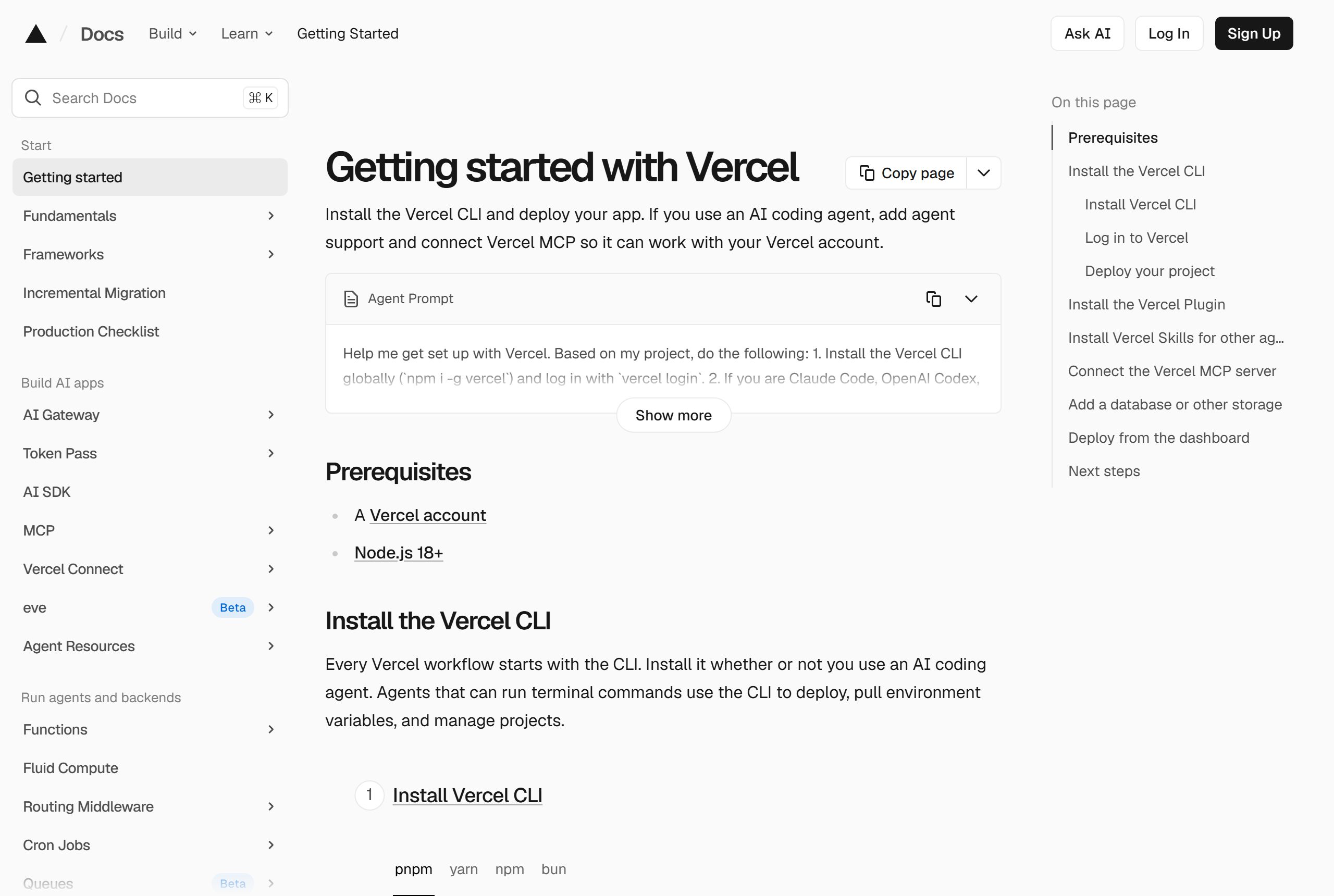
Step 2, route B: deploy from the CLI
If you're comfortable in the terminal, or want Claude Code to do it for you:
npm i -g vercel
vercel login
vercel
Running vercel in the project folder detects the framework, builds and deploys, and gives you a preview URL. When you're happy with it:
vercel --prodYou can ask Claude Code to run these commands. It will ask permission first, and vercel login opens a browser for you to sign in yourself.
Let Claude Code drive Vercel
Vercel publishes two things that help coding agents:
- The Vercel Plugin gives Claude Code deployment skills and commands such as
/vercel-plugin:deploy prodand/vercel-plugin:env. Install it withnpx plugins add vercel/vercel-plugin. - Vercel MCP lets Claude read deployment logs, manage projects and search Vercel's docs. Add it with
claude mcp add --transport http vercel https://mcp.vercel.com, then type/mcpin Claude Code to sign in. More in the MCP servers we'd set up first.
With MCP connected, "why did the last deploy fail?" becomes a question Claude can answer from the actual build log.
Environment variables
Add every variable from your .env.example in the project's settings on Vercel, for the right environments (production, preview, development). A missing variable is the most common reason a project works locally and fails on Vercel.
If the app needs a database, Vercel's CLI can provision one from its Marketplace and add the credentials to the project, for example vercel install supabase. The CLI also syncs those variables into your local .env.local.
Preview vs production
- Preview deployments come from
vercelwithout--prod, and from pushes to branches other than production. Use them to check changes, and send the link to a client for approval. - Production is what your domain serves. With Git connected, pushing to the production branch (usually
main) deploys it.
A simple habit: Claude Code works on a branch, you check the preview, then merge to main.
Add a custom domain
In the project's domain settings on Vercel, add the domain and follow the DNS instructions it shows. If the domain is registered elsewhere, you'll add the records at that registrar. Vercel's custom domain guide has the details for each setup.
Handing it to a client
Decide who owns what before launch:
- Client-owned accounts: the client creates the Vercel and GitHub accounts and invites you. Handover is simple and billing is theirs.
- Agency-owned accounts: you host it and include hosting in a monthly fee. You keep control, and the contract should say what happens if they leave.
Either way, give the client a one-page note: where the code lives, where it's hosted, how to see deploys and who to call. Our client onboarding checklist covers access handling.
Learn the full workflow
The Stride AI Coding course covers building with Claude Code and Codex and shipping projects live with GitHub, Vercel and Supabase, written for non-programmers, with weekly live calls. The free guide library includes a walkthrough on taking an app live on your own domain. If the project is a business website, Josh's guide to building a website with Claude Code covers the brand, images and motion before this deploy step.
FAQ
Can Claude Code deploy to Vercel for me?
Yes. Claude Code can run the Vercel CLI (vercel, then vercel --prod) with your permission after you sign in, and the Vercel Plugin and Vercel MCP give it deploy commands and access to build logs. You still check the preview before production.
Do I need the terminal to deploy?
No. You can import the GitHub repository on Vercel's New Project page and click Deploy. After that, every push to the connected branch deploys automatically.
Why does my app work locally but fail on Vercel?
The usual cause is a missing environment variable. Compare the variables your code reads with those set in the Vercel project, for each environment. Ask Claude Code to read the build log, or connect Vercel MCP so it can read it directly.
Should the client own the Vercel account?
It's often simplest. A client-owned account makes billing and handover clean, and you're invited as a member. If you host it yourself, put hosting in the retainer and write down what happens if the client leaves.